Plan, breakdown, timecode, playback
Show creation just got more collaborative. From cue management to timecode tools for shows. From pre-production/storyboard creating show notes to onsite.

Intuitive design was built for simplicity - a powerful tool built for fast working production.
Drag in media to create tracks
Striped timecode is analysed, order your setlist, add colour codes as status.
Drag in audio / video files
to create new tracks

Quickly add cues
Use number keys (1-9) to quickly add cues while playing back song.
Choreo
Notes
Pyro
Lighting
See videos aligned with tracks
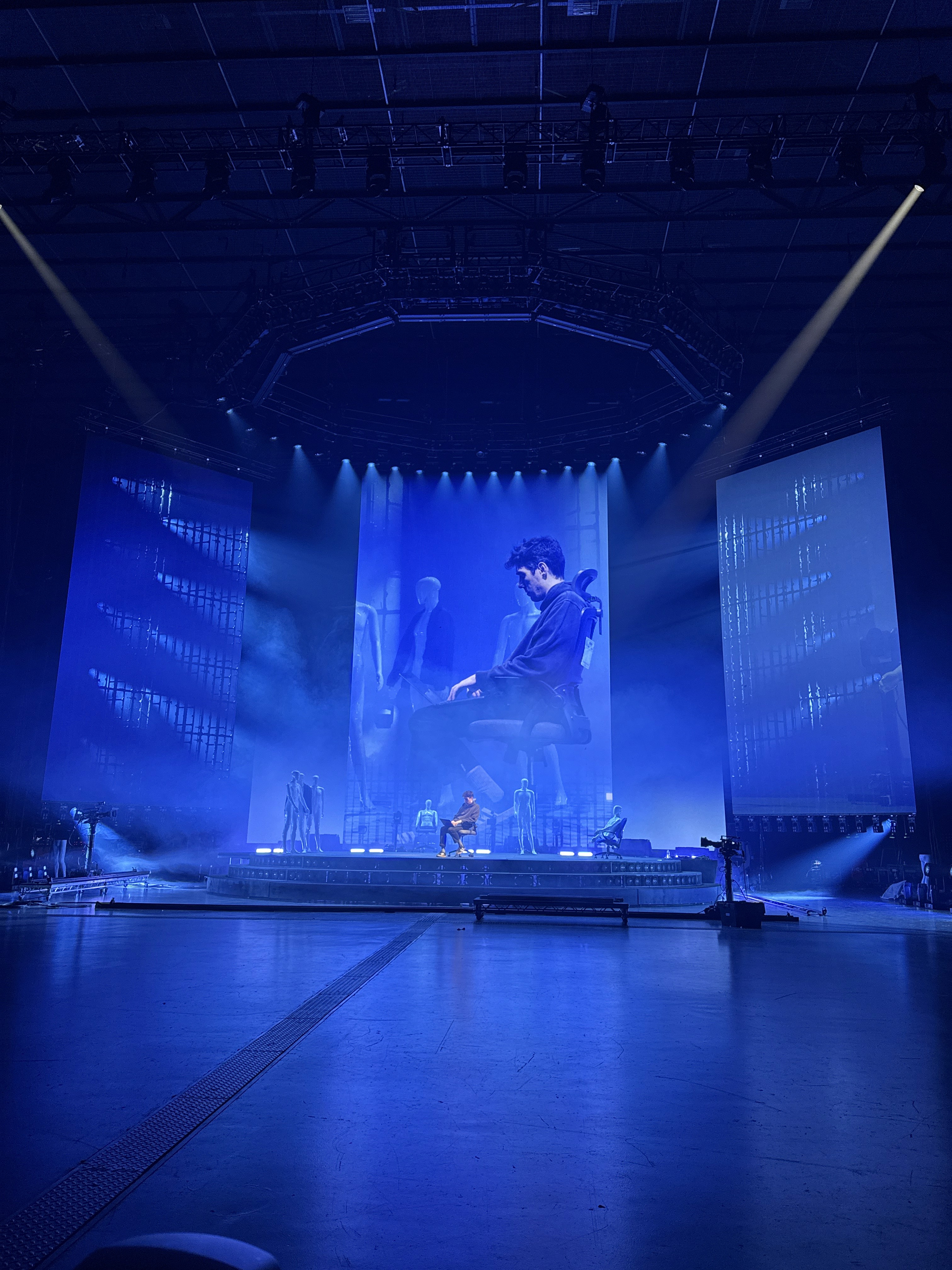
View your cues alongside rehearsal footage, video content, and previs.

Video content

Rehearsal recording
Follow incoming timecode, add notes live
CuePoints will listen for the show time-code and the timeline will follow along and tracks change automatically. Add notes in real time or use count-downs to follow show cues.

Recive TC via LTC, MIDI TC or Artnet TC
Either lock to TC or view second LTC playhead
TIME
CUE TYPE
LABEL
FADE
00:00:00:00
Choreo
Intro pose
0
00:00:02:15
Choreo
Count in
0
00:00:03:22
Video
Playback roll
1
00:00:05:19
Video
2
00:00:09:04
Notes
Hold for VO
00:00:13:21
Video
Roll VT 1
0
00:00:17:07
Video
Lower third
1.5
00:00:20:22
Lighting
Chorus wash
3
00:00:28:13
Lighting
Strobe burst
0
00:00:33:06
Notes
Band exits SL
0
00:00:39:12
Lighting
Blackout
2.5
00:00:44:01
Choreo
Reset positions
0
00:00:48:17
Video
IMAG — tight
2
00:00:52:09
Lighting
Encore wash
4
00:00:57:23
Notes
Cue band
0
00:01:02:11
Lighting
House up
3

Luke

Mia

You
Real-time cloud sync for your project.
One project, multiple users with live updates. New cues & tracks are instantly synced. Every department - working on the same page, designing together.
Control access & permissions
Work Offline & Online
Record video & audio directly to the timeline
Capture rehearsals for instant playback. Recorded videos automatically align with your existing tracks. OSC incoming from consoles can be recorded live.
Recording are synced with your tracks
Arm & wait for timecode to trigger record
Export videos with baked notes and cues
Current: Q6.5 - Fly in Flown truss
Track 4 - The only way
Rehersal : New Tour Name
Date: 12/09/2027

REC
" height="26.00375918700228px" id="wHujwICr7" transform="translate(0.5 -0.002)" width="18.683px"/><path d="M 3.903 0 L 1.5 0 C 0.673 0 0 0.673 0 1.5 L 0 24.5 C 0 25.327 0.673 26 1.5 26 L 3.903 26 C 4.73 26 5.403 25.327 5.403 24.5 L 5.403 1.5 C 5.403 0.673 4.73 0 3.903 0 Z" fill="rgb(255, 255, 255)" height="26px" id="yVgVoe1XJ" transform="translate(22.097 0)" width="5.402999999999999px"/></svg>)
" width="331.46616689883956px"><path d="M 186.827 63.889 C 245.827 73.889 291.827 122.889 296.827 182.889 C 302.827 253.889 248.827 318.889 176.827 324.889 C 104.827 330.889 40.827 276.889 34.827 204.889 C 30.827 158.889 51.827 112.889 90.827 85.889 C 108.827 72.889 88.827 44.889 70.827 57.889 C 21.827 91.889 -5.173 149.889 0.827 207.889 C 7.827 298.889 89.827 366.889 179.827 358.889 C 270.827 350.889 338.827 269.889 330.827 179.889 C 323.827 100.889 261.827 36.889 183.827 28.889 L 181.827 8.889 C 180.827 0.889 170.827 -3.111 164.827 2.889 L 123.827 43.889 C 119.827 47.889 119.827 54.889 124.827 58.889 L 172.827 91.889 C 179.827 96.889 188.827 90.889 188.827 82.889 Z" fill="rgb(255, 255, 255)" height="359.5284157768516px" id="hDgDoHUJa" width="331.46616689883956px"/></g></svg>)
5s
" width="7.300142383575439px"><path d="M 1.161 0 C 0.524 0 0 0.451 0 0.999 L 0 7.001 C 0 7.549 0.524 8 1.161 8 L 1.936 8 C 2.573 8 3.1 7.549 3.1 7.001 L 3.1 0.999 C 3.1 0.451 2.573 0 1.936 0 Z" fill="rgb(255, 255, 255)" height="8px" id="vG8D1Icl1" transform="translate(4.2 0)" width="3.0999999999999996px"/><path d="M 1.164 0 C 0.527 0 0 0.451 0 0.999 L 0 7.001 C 0 7.549 0.527 8 1.164 8 L 1.939 8 C 2.576 8 3.1 7.549 3.1 7.001 L 3.1 0.999 C 3.1 0.451 2.576 0 1.939 0 Z" fill="rgb(255, 255, 255)" height="8px" id="jzdRJekCS" transform="translate(0 0)" width="3.1px"/></g></svg>)
" width="331.46616689883956px"><path d="M 144.64 63.889 C 85.64 73.889 39.64 122.889 34.64 182.889 C 28.64 253.889 82.64 318.889 154.64 324.889 C 226.64 330.889 290.64 276.889 296.64 204.889 C 300.64 158.889 279.64 112.889 240.64 85.889 C 222.64 72.889 242.64 44.889 260.64 57.889 C 309.64 91.889 336.64 149.889 330.64 207.889 C 323.64 298.889 241.64 366.889 151.64 358.889 C 60.64 350.889 -7.36 269.889 0.64 179.889 C 7.64 100.889 69.64 36.889 147.64 28.889 L 149.64 8.889 C 150.64 0.889 160.64 -3.111 166.64 2.889 L 207.64 43.889 C 211.64 47.889 211.64 54.889 206.64 58.889 L 158.64 91.889 C 151.64 96.889 142.64 90.889 142.64 82.889 Z" fill="rgb(255, 255, 255)" height="359.5284157768516px" id="XrQdEDPY6" width="331.46616689883956px"/></g></svg>)
5s
" height="6.921198767044594px" id="QKbDrW2H2" transform="translate(3.3 12.539)" width="4.69961px"/><path d="M 0.812 0.111 C 0.485 -0.151 0 0.082 0 0.501 L 0 6.42 C 0 6.84 0.485 7.073 0.812 6.811 L 4.512 3.851 C 4.762 3.651 4.762 3.27 4.512 3.07 Z" fill="rgb(255, 255, 255)" height="6.921253268906446px" id="gQ_dyeXln" transform="translate(14 0.539)" width="4.699649999999998px"/><path d="M 16 1 C 16 0.448 15.552 0 15 0 L 6 0 C 2.686 0 0 2.686 0 6 C 0 6.872 0.187 7.703 0.523 8.453 C 0.749 8.957 1.341 9.182 1.845 8.956 C 2.349 8.73 2.574 8.139 2.348 7.635 C 2.125 7.137 2 6.584 2 6 C 2 3.791 3.791 2 6 2 L 15 2 C 15.552 2 16 1.552 16 1 Z" fill="rgb(255, 255, 255)" height="9.044208336831073px" id="dtUfmcUnu" transform="translate(1 3)" width="16px"/><path d="M 0 8.044 C 0 8.597 0.448 9.044 1 9.044 L 10 9.044 C 13.314 9.044 16 6.358 16 3.044 C 16 2.172 15.813 1.341 15.477 0.591 C 15.251 0.087 14.659 -0.138 14.155 0.088 C 13.651 0.314 13.426 0.906 13.652 1.409 C 13.875 1.907 14 2.46 14 3.044 C 14 5.253 12.209 7.044 10 7.044 L 1 7.044 C 0.448 7.044 0 7.492 0 8.044 Z" fill="rgb(255, 255, 255)" height="9.04421691447762px" id="bzT2pfAa_" transform="translate(5 7.956)" width="16px"/></svg>)










The ultimate timecode toolkit for creatives
Everything you need to create, prototype, and collaborate—all in a single, easy-to-use platform.
Striped Timecode
On import, media is analysed for striped timecode and automatically routed. Scrub the timeline seeing actual timecode hours and seeing drop outs and multiple TC hour in one track.
LTC, MIDI & Artnet timecode
Generate or receive timecode, sharing timecode over MIDI or Network.
LTC
ArtNet TC
MIDI TC
Simple Audio Routing
Simple output control of LTC and track to multiple output sources
Focusrite 4i4 Interface
Timecode & Playback speakers
Headphones
3.5mm Jack
MacBook Speakers
Internal Speakers
Expanded Cue Properties
Cues now have notes, follow, OSC Strings. Easily edit cue properties.
CMD
NOTE
FOLLOW
OSC
GO 12
Video screens clear
+2.0s
/eos/cue/12/fire
GO 13
Pickup Charli USC
—
/cue/Fanfare/start
GO 14
12x gold glitter mines
+0.5s
/d3/track/1/play
GO 15
Dancers exit SL
Manual
/navigator/cue/15/go
GO 16
Haze up, house to 40%
+4.0s
/pixera/timeline/pause
GO 17
House to 60%, band on
+1.5s
/eos/cue/17/fire
GO 18
Confetti stage left
—
/d3/track/2/play
GO 19
Drum riser tracks in
+3.0s
/navigator/cue/19/go
GO 20
Strobe hit on downbeat
Manual
/eos/cue/20/fire
GO 21
Video wall to camera mix
+0.5s
/pixera/timeline/go
GO 22
Blackout, house to half
+2.0s
/eos/cue/22/fire
Send OSC Commands from cues
Have CuePoints Trigger other software via OSC. Use CuePoints varables to send referenced values
TIME
CUE TYPE
LABEL
OSC
02:00:41:12
Lighting
Act 2 preset load
/eos/cue/11/fire
02:00:44:20
Lighting
Act 2 opening state
/eos/cue/12/fire
02:00:47:04
Notes
Video screens clear here
/cue/Fanfare/start
02:00:49:23
Spots
Pickup Charli USC
/d3/track/1/play
02:00:50:02
Pyro
12x Gold glitter mines hit
/navigator/cue/15/go
02:00:50:18
Notes
Dancers exit
/pixera/timeline/pause
02:00:52:06
Video
Band walk-on IMAG
/d3/track/2/play
02:00:55:14
Lighting
House to 60%
/eos/cue/23/fire
02:00:58:02
Notes
Confetti standby
/cue/Confetti/start
✓ SENT [00:38:04] /eos/cue/10/fire
✓ SENT [00:41:12] /eos/cue/11/fire
✓ SENT [00:44:20] /eos/cue/12/fire
Control CuePoints playback via OSC
Play / skip, add cues, volume control via streamdeck or directly from an MA3 console. Download our pre-made templates.
5s
5s
✓ IN
/cuepoints/loop 0
✓ IN
/cuepoints/transport/playpause
✓ IN
/cuepoints/transport/playpause
NDI Out for video playback
Output up to 4 simultaneous media streams of NDI for playback in pre-vis or overlay screens for dedicated countdowns and approaching cues.

Video Content
Depence Previs

IMAG Screens
Depence Previs

Timings screen
Overlay Screen


Cue Overlay
Customise the information Cue overlay to see the data you need. Timestamps, next cue, etc. Watch them in dedicated overlay pop-out window or burned into recordings.

Current: Q6.5 - Pre-chorus fill
Next: Q7 - Smash to chorus
Project: Afterworld Tour
Date: 12/09/2027

What we’re building next
A little look at our roadmap, have your say and let us know what you need.
01. Live sync with consoles
Cues are synced over the network to consoles. Allowing for real-time updates in CuePoints to change in console.
02. Beat Grid
The timeline will get a BPM grid added. Cues snap to to the grid, and hits can be easily copied over repeating bars.